


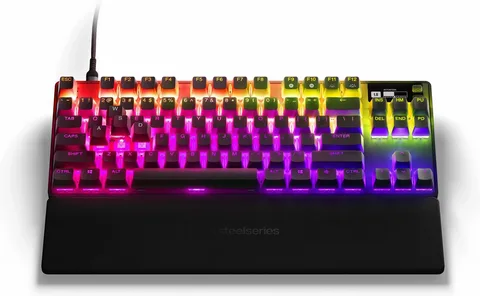
Mechanical keyboards have taken the tech world by storm, offering a level of personalization that caters to both aesthetic preferences and functional needs. For enthusiasts, Tenkeyless (TKL) keyboards are a perfect balance between compact design and full functionality. If you’re looking to make your keyboard truly your own, this guide on customizing your tkl keyboard: tips and tricks will help you transform your typing experience.
Understanding TKL Keyboards
A TKL keyboard is a compact mechanical keyboard that omits the numeric keypad, making it ideal for minimalistic desk setups and gamers who want more mouse space. Before diving into customizing your TKL keyboard: tips and tricks, it’s important to understand the components you can modify:
- Keycaps: The most visible part of your keyboard; swapping keycaps can instantly change its look and feel.
- Switches: Mechanical switches vary in tactile feedback, sound, and actuation force.
- Stabilizers: Essential for larger keys like the spacebar and enter key to reduce wobble.
- Case and Plate: Upgrading the case or plate can affect the keyboard’s weight, sound, and aesthetics.
Tips for Customizing Your TKL Keyboard
Customizing your TKL keyboard doesn’t have to be overwhelming. Here are some practical tips:
1. Choose the Right Keycaps
Keycaps come in different profiles, materials, and printing methods. PBT keycaps are durable and resistant to shine, while ABS keycaps can offer a smoother texture. For a personalized aesthetic, consider artisan keycaps for certain keys.
2. Experiment with Switches
Switches define the typing experience. Linear switches provide a smooth keystroke, tactile switches give a bump at actuation, and clicky switches offer audible feedback. Hot-swappable TKL keyboards make it easy to try different switches without soldering.
3. Modify Stabilizers
Upgrading stabilizers or lubing them can significantly reduce rattling sounds on larger keys, making typing quieter and smoother.
4. Enhance Aesthetics and Sound
Adding foam dampeners between the PCB and case can improve acoustics. You can also experiment with RGB lighting or custom cables to match your setup.
Tricks to Maximize Performance
To get the most out of your custom TKL keyboard:
- Programming Layers: Use software to remap keys and create macros.
- Ergonomic Adjustments: Adjust keyboard height or angle to reduce strain.
- Regular Maintenance: Keep switches and keycaps clean to ensure longevity.
By following these customizing your TKL keyboard: tips and tricks, you can achieve a setup that is both visually appealing and optimized for performance.
Final Thoughts
Customizing your TKL keyboard is a fun and rewarding way to express your personality while enhancing your typing or gaming experience. From keycaps to switches and stabilizers, there’s a wealth of options to explore. Whether you’re a beginner or a seasoned enthusiast, these tips and tricks will help you take full advantage of your TKL keyboard.
